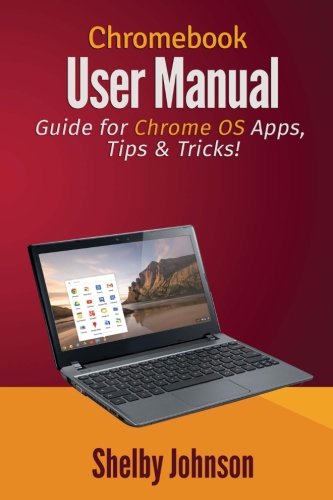
Chromebook User Manual: Guide for Chrome OS Apps, Tips & Tricks!
by Shelby Johnson
No club is reading this yet — be the first to start one
Here's what you’ll find inside this helpful manual:
- Screenshots and images illustrating various concepts.
- Info about Skype and iTunes for Chromebook (how to workaround).
- How to edit photos on your device.
- How to watch movies and downloading videos on your device to watch offline.
- How to print from your device.
- Increasing storage capacity with your device.
- Using Bluetooth and USB devices with Chromebook.
- Ways to use different internet connections.
- 25 Great Chromebook Apps to install (online and offline).
- 10 Great Games to Install on your device.
- Some of the best accessories to get.
- Playing Minecraft on Chromebook.
- How to fix Chrome OS in case of a major issue...
And more tips, tricks, how-to’s and information to help you get more out of your Chromebook device!
As a Chromebook owner, Shelby Johnson has put together this guide in various formats to help current and new owners of the devices get the most from them. Make sure to pick up this inexpensive manual today so you can begin using your Chromebook to its full extent!
Discuss Chromebook User Manual: Guide for Chrome OS Apps, Tips & Tricks! with other readers
Join or start a book club for Chromebook User Manual: Guide for Chrome OS Apps, Tips & Tricks! on Readfeed. Live chat, shared reading progress, and AI discussion questions — free to get started.
Frequently asked questions
How do I join a book club for Chromebook User Manual: Guide for Chrome OS Apps, Tips & Tricks!?
Sign up free on Readfeed, then browse public clubs or start your own club with Chromebook User Manual: Guide for Chrome OS Apps, Tips & Tricks! as the current read. Invite friends with a share link and discuss together with live chat and AI discussion questions.
Can I discuss Chromebook User Manual: Guide for Chrome OS Apps, Tips & Tricks! with other readers online?
Yes. Readfeed book clubs let you chat live, share progress, and join discussions about Chromebook User Manual: Guide for Chrome OS Apps, Tips & Tricks! with readers worldwide — whether your club is virtual, in-person, or hybrid.
Is Readfeed free?
Yes. Creating an account and joining book clubs is free. Sign up to find readers who love the same books and start discussing today.