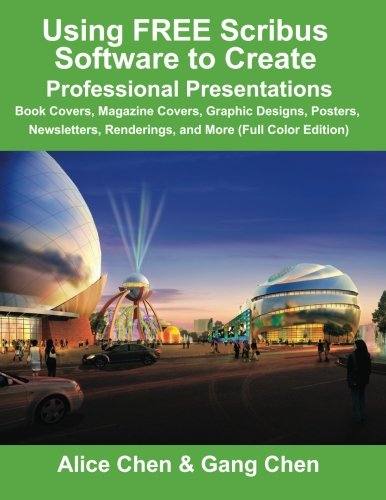
Using FREE Scribus Software to Create Professional Presentations: Book Covers, Magazine Covers, Graphic Designs, Posters, Newsletters, Renderings, and More (Full Color Edition)
by Gang Chen, Alice Chen
No club is reading this yet — be the first to start one
You will learn how to:
1. Download all the FREE software needed.
2. Put the cover template in correct formats.
3. Set up the sheet correctly using units, colors (RGB or CMYK), layers, the imported cover template, sizes, guides, bleed area, and safety margin.
4. Add the background color for the cover with a shape or image frame.
5. Add the cover image and author's photo, as well as how to handle a fully bleed image.
6. Add the titles and text accurately, including information on selecting or changing the text color, using the text box, centering the text, aligning different text boxes, and rotating the text.
7. Add the barcode by extracting the barcode from an EPS file and moving all the barcode elements together or by adding the barcode as a JPEG image file.
8. Use Scribus software to create professional presentations such as book covers, magazine covers, graphic designs, posters, newsletters, renderings, and more.
See links below for our sample book cover designs using Scribus:
JasmineJi.webs.com/
GreenExamEducation.com/
Discuss Using FREE Scribus Software to Create Professional Presentations: Book Covers, Magazine Covers, Graphic Designs, Posters, Newsletters, Renderings, and More (Full Color Edition) with other readers
Join or start a book club for Using FREE Scribus Software to Create Professional Presentations: Book Covers, Magazine Covers, Graphic Designs, Posters, Newsletters, Renderings, and More (Full Color Edition) on Readfeed. Live chat, shared reading progress, and AI discussion questions — free to get started.
Frequently asked questions
How do I join a book club for Using FREE Scribus Software to Create Professional Presentations: Book Covers, Magazine Covers, Graphic Designs, Posters, Newsletters, Renderings, and More (Full Color Edition)?
Sign up free on Readfeed, then browse public clubs or start your own club with Using FREE Scribus Software to Create Professional Presentations: Book Covers, Magazine Covers, Graphic Designs, Posters, Newsletters, Renderings, and More (Full Color Edition) as the current read. Invite friends with a share link and discuss together with live chat and AI discussion questions.
Can I discuss Using FREE Scribus Software to Create Professional Presentations: Book Covers, Magazine Covers, Graphic Designs, Posters, Newsletters, Renderings, and More (Full Color Edition) with other readers online?
Yes. Readfeed book clubs let you chat live, share progress, and join discussions about Using FREE Scribus Software to Create Professional Presentations: Book Covers, Magazine Covers, Graphic Designs, Posters, Newsletters, Renderings, and More (Full Color Edition) with readers worldwide — whether your club is virtual, in-person, or hybrid.
Is Readfeed free?
Yes. Creating an account and joining book clubs is free. Sign up to find readers who love the same books and start discussing today.