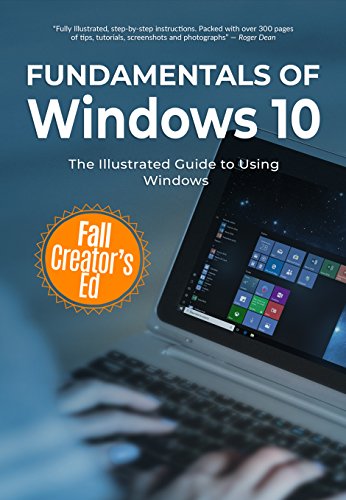
Fundamentals of Windows 10 Fall Creator's Edition: The Illustrated Guide to Using Windows (Computer Fundamentals Book 3)
by Kevin Wilson
Whatever the computer related task -- and whatever your technical ability -- Fundamentals of Windows 10 is here to help. In this guide, Kevin walks you through Microsoft's flagship operating system one step at a time. Great for seniors, beginners, enthusiasts, students and ordinary home users.
Packed full of tutorials, illustrations and photographs to help you, we'll go through upgrading and installing the fall creator's update.
We'll guide you through the ins and outs of Windows 10, we'll take a look at the start menu, action center, file explorer, as well as using external drives, setting up printers, wifi and bluetooth.
We'll take a look at the new 3D effects with Paint 3D and mixed reality, as well as downloading books, films, tv programs and music.
We'll take a look at tablets, touch screens, touch screen gestures as well as Windows Ink for drawing, note taking and data input.
Also, we'll discuss security, backup, antivirus, malware and computer maintenance procedures to keep your machine running smoothly, and a lot more.
Discuss Fundamentals of Windows 10 Fall Creator's Edition: The Illustrated Guide to Using Windows (Computer Fundamentals Book 3) with other readers
Join or start a book club for Fundamentals of Windows 10 Fall Creator's Edition: The Illustrated Guide to Using Windows (Computer Fundamentals Book 3) on Readfeed. Live chat, shared reading progress, and AI discussion questions — free to get started.
Frequently asked questions
How do I join a book club for Fundamentals of Windows 10 Fall Creator's Edition: The Illustrated Guide to Using Windows (Computer Fundamentals Book 3)?
Sign up free on Readfeed, then browse public clubs or start your own club with Fundamentals of Windows 10 Fall Creator's Edition: The Illustrated Guide to Using Windows (Computer Fundamentals Book 3) as the current read. Invite friends with a share link and discuss together with live chat and AI discussion questions.
Can I discuss Fundamentals of Windows 10 Fall Creator's Edition: The Illustrated Guide to Using Windows (Computer Fundamentals Book 3) with other readers online?
Yes. Readfeed book clubs let you chat live, share progress, and join discussions about Fundamentals of Windows 10 Fall Creator's Edition: The Illustrated Guide to Using Windows (Computer Fundamentals Book 3) with readers worldwide — whether your club is virtual, in-person, or hybrid.
Is Readfeed free?
Yes. Creating an account and joining book clubs is free. Sign up to find readers who love the same books and start discussing today.