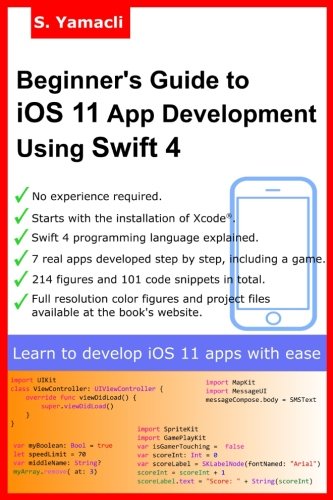
Beginner's Guide to iOS 11 App Development Using Swift 4: Xcode, Swift and App Design Fundamentals
by Serhan Yamacli
No club is reading this yet — be the first to start one
The author assumes you have no experience in app development. The book starts with the installation of the required programming environment and setting up the simulators. Then, the simplest "Hello World" app is developed step by step. In the next chapter, basics of the Swift 4 programming language are given with practical examples. Screenshots and code snippets are clearly given in the book to guide the reader. After the Swift lecture, 7 real world apps are developed again by step by step instructions. Each code line is explained. As the reader follows the development of the example apps, he/she will learn designing user interfaces, connecting interface objects to code, developing efficient Swift code and testing the app in simulators and real devices.
Sample apps developed in this book are as follows:
1. Disco lights app: Learn the basics of app development and use buttons in your code.
2. Body mass index (BMI) calculator app: Using input boxes, performing calculations and displaying the results on the screen.
3. Simple die roller app: Using random number generator functions, including image sets in your project, displaying images on the screen and changing the displayed image using Swift code.
4. Exercise calorie calculator app: Using global variables, creating tabbed apps and utilizing segmented controls.
5. Show my location app: Adding a map object to your app, setting required permissions, accessing GPS device and showing real time location on the map.
6. SOS sender app: Adding SMS functionality, setting required permissions and sending real time location using SMS.
7. Bounce the ball game: Basics of SpriteKit that is used to develop 2D iOS games, adding objects to the game, sensing screen touches, moving game objects according to touches, combining all these and more to develop a complete ball bouncing game.
This book includes 214 figures and 101 code snippets that are used to explain app development concepts clearly. Full resolution colour figures and complete project files can be viewed and downloaded from the the book's website: www.yamaclis.com/ios11.
Discuss Beginner's Guide to iOS 11 App Development Using Swift 4: Xcode, Swift and App Design Fundamentals with other readers
Join or start a book club for Beginner's Guide to iOS 11 App Development Using Swift 4: Xcode, Swift and App Design Fundamentals on Readfeed. Live chat, shared reading progress, and AI discussion questions — free to get started.
Frequently asked questions
How do I join a book club for Beginner's Guide to iOS 11 App Development Using Swift 4: Xcode, Swift and App Design Fundamentals?
Sign up free on Readfeed, then browse public clubs or start your own club with Beginner's Guide to iOS 11 App Development Using Swift 4: Xcode, Swift and App Design Fundamentals as the current read. Invite friends with a share link and discuss together with live chat and AI discussion questions.
Can I discuss Beginner's Guide to iOS 11 App Development Using Swift 4: Xcode, Swift and App Design Fundamentals with other readers online?
Yes. Readfeed book clubs let you chat live, share progress, and join discussions about Beginner's Guide to iOS 11 App Development Using Swift 4: Xcode, Swift and App Design Fundamentals with readers worldwide — whether your club is virtual, in-person, or hybrid.
Is Readfeed free?
Yes. Creating an account and joining book clubs is free. Sign up to find readers who love the same books and start discussing today.