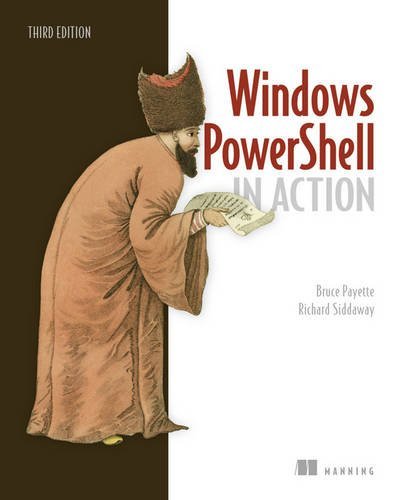
Windows PowerShell in Action
by Bruce Payette, Richard Siddaway
No club is reading this yet — be the first to start one
Summary
Windows PowerShell in Action, Third Edition is the definitive guide to PowerShell, now revised to cover PowerShell 6.
Purchase of the print book includes a free eBook in PDF, Kindle, and ePub formats from Manning Publications.
About the Technology
In 2006, Windows PowerShell reinvented the way administrators and developers interact with Windows. Today, PowerShell is required knowledge for Windows admins and devs. This powerful, dynamic language provides command-line control of the Windows OS and most Windows servers, such as Exchange and SCCM. And because it's a first-class .NET language, you can build amazing shell scripts and tools without reaching for VB or C#.
About the Book
Windows PowerShell in Action, Third Edition is the definitive guide to PowerShell, now revised to cover PowerShell 6. Written by language designer Bruce Payette and MVP Richard Siddaway, this rich book offers a crystal-clear introduction to the language along with its essential everyday use cases. Beyond the basics, you'll find detailed examples on deep topics like performance, module architecture, and parallel execution.
What's Inside
- The best end-to-end coverage of PowerShell available
- Updated with coverage of PowerShell v6
- PowerShell workflows
- PowerShell classes
- Writing modules and scripts
- Desired State Configuration
- Programming APIs and pipelines
About the Reader
Written for intermediate-level developers and administrators.
About the Authors
Bruce Payette is codesigner and principal author of the Power-Shell language. Richard Siddaway is a longtime PowerShell MVP, author, speaker, and blogger.
Table of Contents
- Welcome to PowerShell
- Working with types
- Operators and expressions
- Advanced operators and variables
- Flow control in scripts
- PowerShell functions
- Advanced functions and scripts
- Using and authoring modules
- Module manifests and metadata
- Metaprogramming with scriptblocks and dynamic code
- PowerShell remoting
- PowerShell workflows
- PowerShell Jobs
- Errors and exceptions
- Debugging
- Working with providers, files, and CIM
- Working with .NET and events
- Desired State Configuration
- Classes in PowerShell
- The PowerShell and runspace APIs Appendix - PowerShell 6.0 for Windows, Linux, and MacOS
Discuss Windows PowerShell in Action with other readers
Join or start a book club for Windows PowerShell in Action on Readfeed. Live chat, shared reading progress, and AI discussion questions — free to get started.
Frequently asked questions
How do I join a book club for Windows PowerShell in Action?
Sign up free on Readfeed, then browse public clubs or start your own club with Windows PowerShell in Action as the current read. Invite friends with a share link and discuss together with live chat and AI discussion questions.
Can I discuss Windows PowerShell in Action with other readers online?
Yes. Readfeed book clubs let you chat live, share progress, and join discussions about Windows PowerShell in Action with readers worldwide — whether your club is virtual, in-person, or hybrid.
Is Readfeed free?
Yes. Creating an account and joining book clubs is free. Sign up to find readers who love the same books and start discussing today.