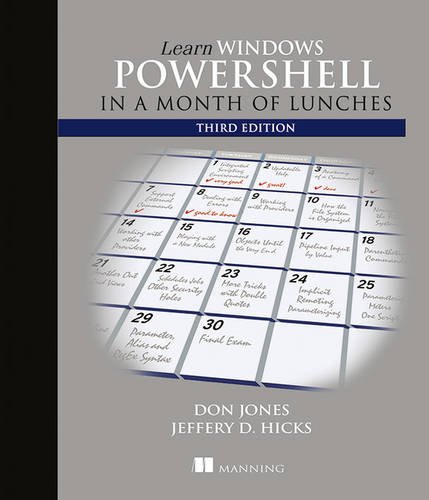
Learn Windows PowerShell in a Month of Lunches
by Donald W. Jones, Jeffrey Hicks
No club is reading this yet — be the first to start one
Summary
Learn Windows PowerShell in a Month of Lunches, Third Edition is an innovative tutorial designed for busy IT professionals. This updated edition covers PowerShell features that run on Windows 7, Windows Server 2008 R2 and later, PowerShell v3 and later, and includes v5 features like PowerShellGet.
Purchase of the print book includes a free eBook in PDF, Kindle, and ePub formats from Manning Publications.
About the Technology
PowerShell is both a scripting language and an administrative shell that lets you control and automate nearly every aspect of Windows. It accepts and executes commands interactively and you can write scripts to manage most Windows servers like Exchange, IIS, and SharePoint, as well as online services like Azure and Office 365.
About the Book
Learn Windows PowerShell in a Month of Lunches, Third Edition is an innovative tutorial designed for busy IT professionals. Just set aside one hour a day - lunchtime would be perfect - for a month, and you'll be automating Windows tasks faster than you ever thought possible. This updated edition covers PowerShell features that run on Windows 7, Windows Server 2008 R2 and later, PowerShell v3 and later, and includes v5 features like PowerShellGet.
What's Inside
- Learn PowerShell from the beginning, no experience required!
- Covers PowerShell v3 and up, Windows 7, and Windows Server 2008 R2 and later
- Each lesson takes you an hour or less
About the Reader
Experience with Windows administration is helpful. No programming or scripting experience needed.
About the Author
Veteran PowerShell MVPs Don Jones and Jeffery Hicks bring years as successful trainers to this concise, easy-to-follow book.
Table of Contents
- Before you begin
- Meet PowerShell
- Using the help system
- Running commands
- Working with providers
- The pipeline: connecting commands
- Adding commands
- Objects: data by another name
- The pipeline, deeper
- Formatting - and why it's done on the right
- Filtering and comparisons
- A practical interlude
- Remote control: one-to-one, and one-to-many
- Using Windows Management Instrumentation and CIM
- Multitasking with background jobs
- Working with many objects, one at a time
- Security alert!
- Variables: a place to store your stuff
- Input and output
- Sessions: remote control with less work
- You call this scripting?
- Improving your parameterized script
- Advanced remoting configuration
- Using regular expressions to parse text files
- Additional random tips, tricks, and techniques
- Using someone else's script
- Never the end
- PowerShell cheat sheet
Discuss Learn Windows PowerShell in a Month of Lunches with other readers
Join or start a book club for Learn Windows PowerShell in a Month of Lunches on Readfeed. Live chat, shared reading progress, and AI discussion questions — free to get started.
Frequently asked questions
How do I join a book club for Learn Windows PowerShell in a Month of Lunches?
Sign up free on Readfeed, then browse public clubs or start your own club with Learn Windows PowerShell in a Month of Lunches as the current read. Invite friends with a share link and discuss together with live chat and AI discussion questions.
Can I discuss Learn Windows PowerShell in a Month of Lunches with other readers online?
Yes. Readfeed book clubs let you chat live, share progress, and join discussions about Learn Windows PowerShell in a Month of Lunches with readers worldwide — whether your club is virtual, in-person, or hybrid.
Is Readfeed free?
Yes. Creating an account and joining book clubs is free. Sign up to find readers who love the same books and start discussing today.