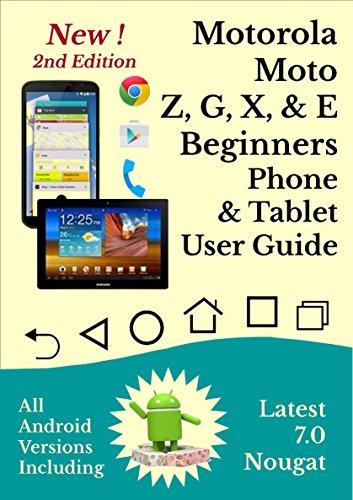
Moto Z, G, X, E Smartphone & Tablet User guide: All Android Versions Including NEW 7.0 Nougat
by Chris Gornall
No club is reading this yet — be the first to start one
FEEDBACK INCLUDES a lifesaver, worth every penny, well written, clear instructions.
COVERS ALL ANDROID VERSIONS, including the latest version 7.0 Nougat.
3000 COPIES A YEAR SOLD, in various formats.
Preview contains extract of the whole guide, not only the beginning of the guide.
A three page summary of the icons and controls used in navigating the Android system, to serve as a reference chart for future use, can be found at the back of the guide.
The Google Play app market is explained in detail and links are provided to other external user guides for selected apps, which the reader can consult later.
CONTENTS
Preview
Introduction - Android User Guide
The Main Icons & Navigation Controls
Apps and Widgets
Practising Some of the Basic Controls
Getting to Know Your Device
Switching on for the First Time-Touch screen Devices Only
Overcoming any Screen Lock-Touch screen Devices
Connecting to Your Wireless Network
Adjusting Your Most Important Settings
Lock Screen
Quick Settings Menu
Notification Settings - Android 5.0 Onwards
Desktop Screens
Overview of Email & Importing Contacts
Transferring Data from Windows PC to Your Device
File Management
Google Play Store
Gmail App User Guide
Contacts App
Phone App
Text Messaging App
Cloud Storage
Some of the Best Apps
Web Browsers
Creating Web Page Desktop Shortcuts
Additional Sources of Information
Smartphones- Avoiding Excess Data Charges
Smartphones - Preventing Unauthorised Use
Smartphones - Lost or Stolen
Choosing Your Next Android Device
Navigation Control Icons Summary
About the author - Having retired over two years ago, after 30 years in IT, export sales, and marketing, I looked around for something to fill in my time. I love technology and having owned countless Android smart phones, tablets and Android TV units, I felt there was a need for beginners' user guides, so I wrote this. I do hope that you will consider purchasing it. Thanks
Discuss Moto Z, G, X, E Smartphone & Tablet User guide: All Android Versions Including NEW 7.0 Nougat with other readers
Join or start a book club for Moto Z, G, X, E Smartphone & Tablet User guide: All Android Versions Including NEW 7.0 Nougat on Readfeed. Live chat, shared reading progress, and AI discussion questions — free to get started.
Frequently asked questions
How do I join a book club for Moto Z, G, X, E Smartphone & Tablet User guide: All Android Versions Including NEW 7.0 Nougat?
Sign up free on Readfeed, then browse public clubs or start your own club with Moto Z, G, X, E Smartphone & Tablet User guide: All Android Versions Including NEW 7.0 Nougat as the current read. Invite friends with a share link and discuss together with live chat and AI discussion questions.
Can I discuss Moto Z, G, X, E Smartphone & Tablet User guide: All Android Versions Including NEW 7.0 Nougat with other readers online?
Yes. Readfeed book clubs let you chat live, share progress, and join discussions about Moto Z, G, X, E Smartphone & Tablet User guide: All Android Versions Including NEW 7.0 Nougat with readers worldwide — whether your club is virtual, in-person, or hybrid.
Is Readfeed free?
Yes. Creating an account and joining book clubs is free. Sign up to find readers who love the same books and start discussing today.