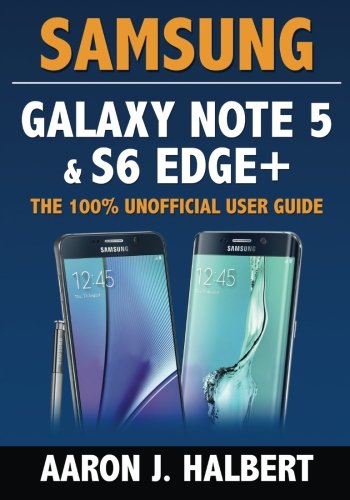
Samsung Galaxy Note 5 & S6 Edge+: The 100% Unofficial User Guide
by Aaron Halbert
No club is reading this yet — be the first to start one
FULLY REVISED AND UPDATED FOR THE GALAXY NOTE 5 AND S6 EDGE+!
Samsung Galaxy Note 5 & S6 Edge+: The 100% Unofficial User Guide is your comprehensive guide to the Note 5 and S6 Edge+.
If you're a brand new Android user and you don't know the Play Store from the App Drawer, this 300+ page book will teach you from first principles. If you're an experienced user, this book will help you unlock the full potential of your Note 5 or S6 Edge+.
Samsung Galaxy Note 5 & S6 Edge+: The 100% Unofficial User Guide contains hundreds of tips, tricks and visual tutorials, such as:
- Setting up the Galaxy Note 5 and S6 Edge+ for the first time
- Fundamentals of the Android OS and Samsung's TouchWiz interface
- Connecting to Wi-Fi hot spots
- Making calls
- Syncing with your Gmail account
- Authenticating device access with the fingerprint scanner
- Sending text messages and picture messages
- Capturing video, including high-definition 4K
- Installing and uninstalling apps
- Taking panoramic photographs
- Securing and backing up your data
- Navigating using the GPS
- Intelligently protecting yourself from malware and viruses
- Playing MP3s, and streaming music using Pandora, Spotify, and more
- Trying paid apps for free
- Using Google Now, your personal assistant
- Restoring your data with Android 5.0 Lollipop's new Tap & Go tool
- Blocking unwanted calls
- Managing your fitness and exercise with S Health
- Using Samsung Pay and Google Wallet at tap-to-pay terminals
- Accessing Kids Mode
- Using ALL Edge features, including People Edge, Apps Edge, Information Stream, Edge Lighting, Night Clock, and more
- Customizing your wallpaper
- Viewing and editing Microsoft Office files
- The difference between S Beam, Android Beam, Wi-Fi Direct, DLNA, And NFC
- Pairing with Bluetooth devices such as a headset or car stereo
- Rooting your Galaxy
- Blocking ads with AdAway
- Extending battery life
- Remotely locating a lost Note 5 or S6 Edge+
- Printing documents
- Live broadcasting to YouTube
- Taking advantage of all S Pen features
... and much more! Plus, includes the book, The 50 All-Time Best Android Apps for FREE!
BONUS: Buy the paperback edition, and you'll get the Kindle edition absolutely FREE through Kindle MatchBook!
Why delay at this price? Scroll up and click "Buy Now," and start taking advantage of everything your Galaxy has to offer--today.
Discuss Samsung Galaxy Note 5 & S6 Edge+: The 100% Unofficial User Guide with other readers
Join or start a book club for Samsung Galaxy Note 5 & S6 Edge+: The 100% Unofficial User Guide on Readfeed. Live chat, shared reading progress, and AI discussion questions — free to get started.
Frequently asked questions
How do I join a book club for Samsung Galaxy Note 5 & S6 Edge+: The 100% Unofficial User Guide?
Sign up free on Readfeed, then browse public clubs or start your own club with Samsung Galaxy Note 5 & S6 Edge+: The 100% Unofficial User Guide as the current read. Invite friends with a share link and discuss together with live chat and AI discussion questions.
Can I discuss Samsung Galaxy Note 5 & S6 Edge+: The 100% Unofficial User Guide with other readers online?
Yes. Readfeed book clubs let you chat live, share progress, and join discussions about Samsung Galaxy Note 5 & S6 Edge+: The 100% Unofficial User Guide with readers worldwide — whether your club is virtual, in-person, or hybrid.
Is Readfeed free?
Yes. Creating an account and joining book clubs is free. Sign up to find readers who love the same books and start discussing today.